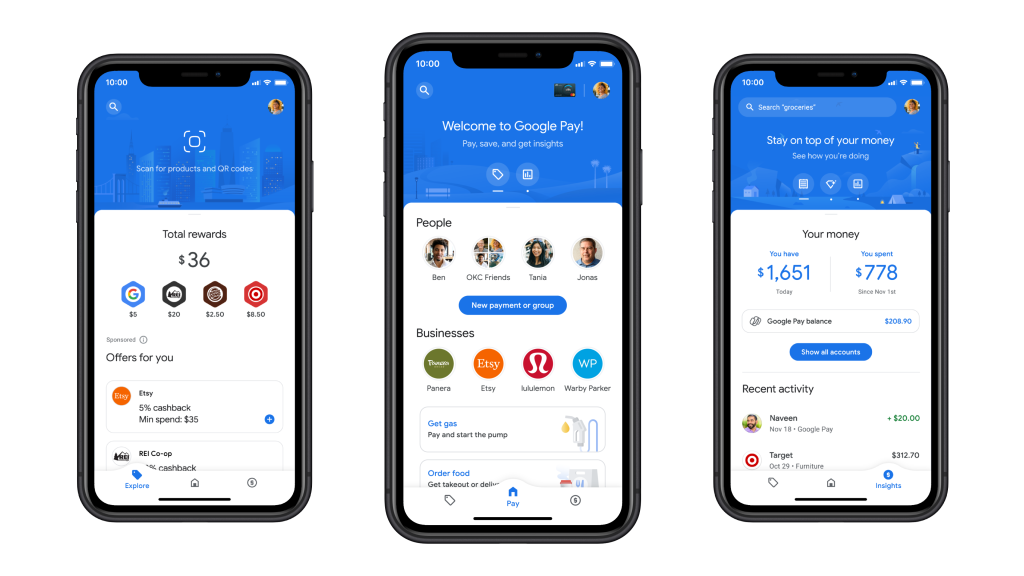

Google Pay, commonly known as GPay, is one of the most popular digital payment platforms in India. It offers a simple, fast, and secure way to send and receive money via UPI, pay bills, recharge mobiles, and much more. While most users are familiar only with its basic features, Google Pay also has some hidden features that can make your experience even better. Let’s look at 5 tips and tricks you can try on Google Pay:
1. Bill Split
Google Pay has a built-in feature to split bills with friends and family. You can create a group, add people, and the app will automatically track who has paid and who hasn’t. This makes managing expenses during trips or outings very easy. For this, tap on New Payment > New Group, add everyone, enter the amount, and split the bill.
2. Scratch Cards for Rewards
Not every payment on Google Pay gives you a reward, but certain transactions come with unique scratch cards — especially when you pay for utilities like mobile recharges or electricity bills. These scratch cards can give you cashback or discount coupons from partner brands. You can view all your scratch cards, including special ones, in the Rewards section.
3. Autopay for Favorite Subscriptions
If you find it difficult to remember subscription due dates, you can set up Autopay directly from Google Pay. Popular apps like JioCinema, Netflix, Spotify, YouTube Premium, Google One Cloud, and many others are supported. To use it, click your profile picture at the top-right corner, then go to the Autopay option to manage all your subscriptions.
4. Check Bank Balance Without Net Banking Login
With Google Pay, you can directly check the balance of your linked bank account without logging into your banking app or website. It’s a small but handy feature when you just want to confirm your balance before making a payment. Simply go to the Payment Methods section, select your bank account, then tap on View Account Balance. Enter your UPI PIN, and your balance will be displayed instantly.
5. Add Notes to Your Transactions
On Google Pay, you can add custom notes or labels to your payments so you remember the purpose of each transaction. This is very useful for budgeting, taxes, or business reimbursements. Before sending money, you can add simple text — or even an emoji — as a note.
![How to Earn Money from Facebook [₹30,000 to ₹40,000] – Learn 10 Easy Ways](https://weplayr.com/wp-content/uploads/2025/08/How-to-Make-Money-on-Facebook-300x200.jpg)